
Cloudpanel Add Site

RootaliYönetici
2025-03-22 03:50:15 882 views
Cloudpanel Add Site
With CloudPanel, you can Create a WordPress Site, Create a PHP Site,Create a Node.js Site, Create a Static HTML Site, Create a Python Siteor Create a Reverse Proxy.
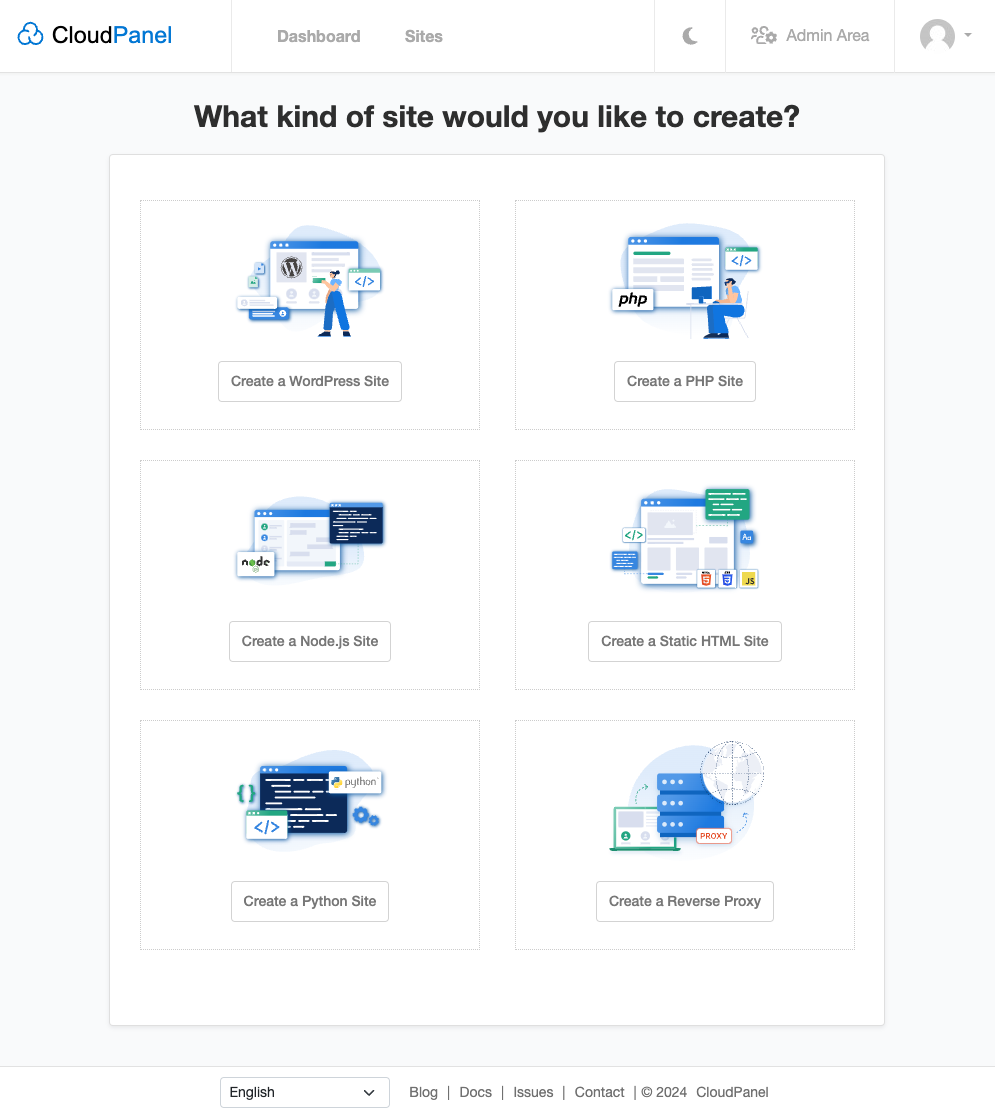
Create a WordPress Site
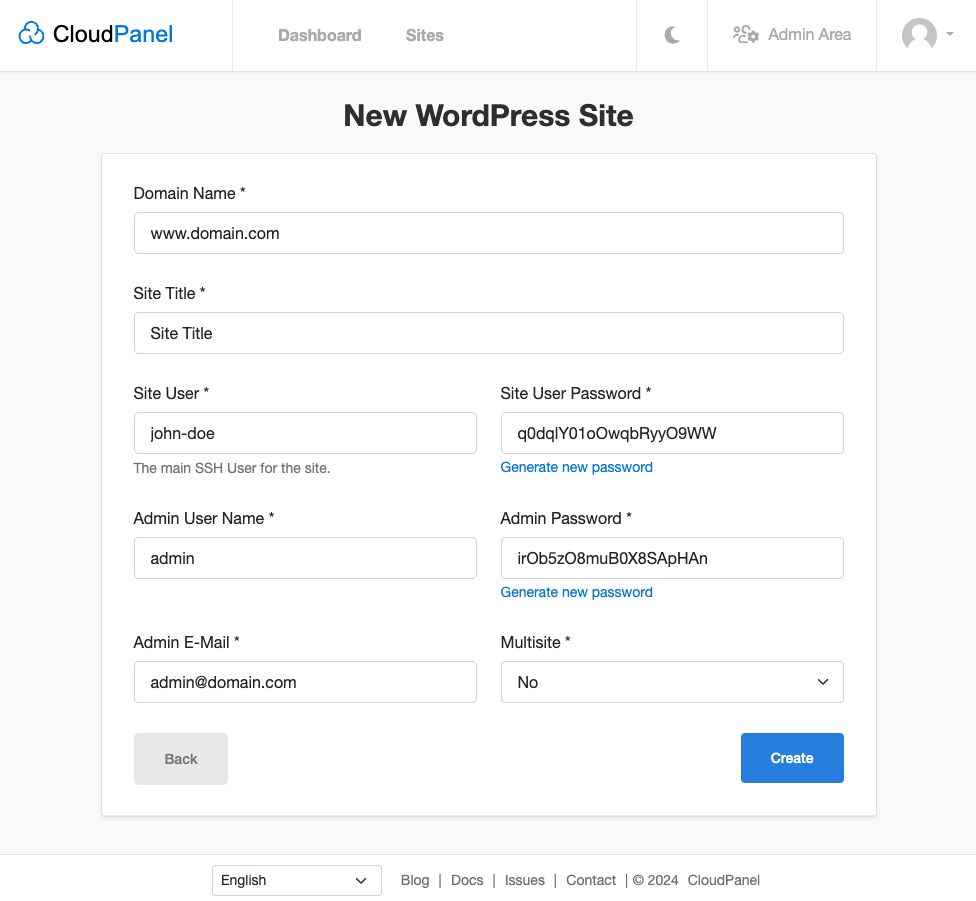
- Fill out all fields and click on Create to Create a WordPress Site.
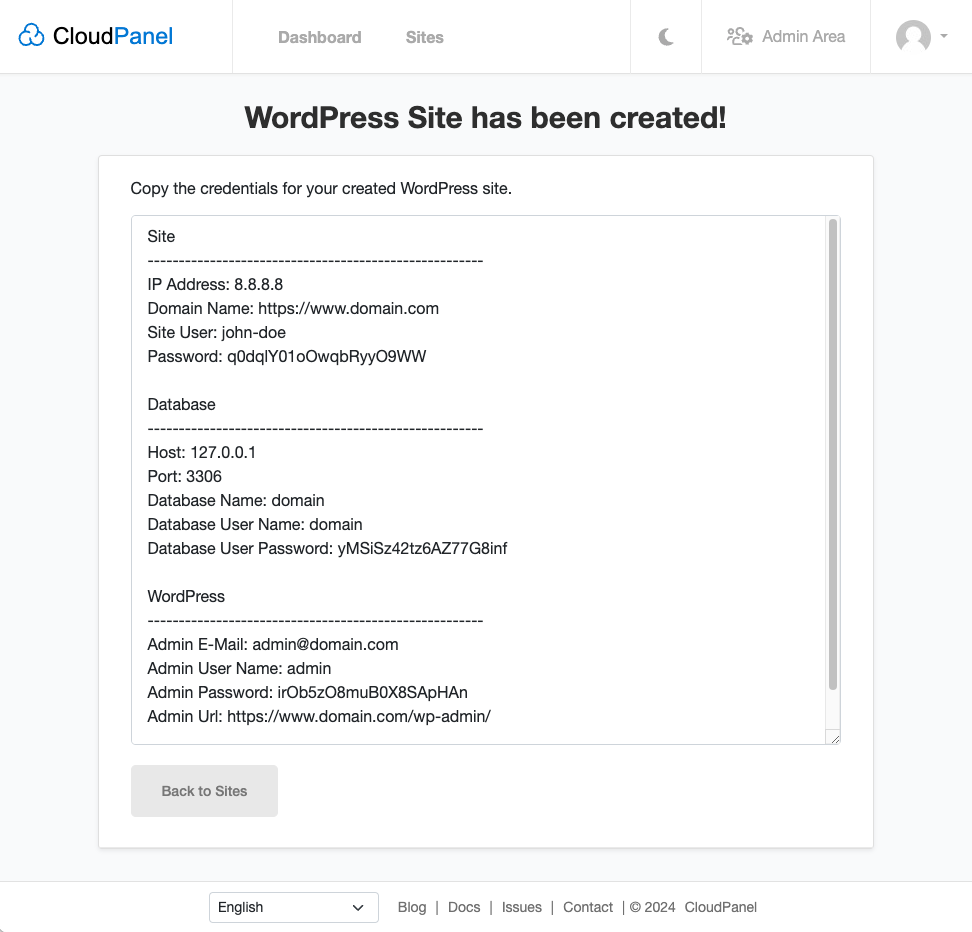
- Copy the credentials for your created WordPress site in a secure place.
Site User
The Site User is an SSH User. All files will be stored in his home directory: /home/$siteUser
Create a PHP Site
Best Practices - PHP Site Migration
Before you start, please read the best practices for migrating PHP Sites.
- Select the Application, the Domain Name, and the PHP Version. The PHP Version can be changed later if needed.
Redirection
When you enter the Domain Name with www, a redirection from non-www to www will be created automatically and vice versa.All HTTP requests are redirected to HTTPS by default.

- Click on Create to create the PHP Site.
- You can now use the Site User to log in via SSH to upload the application files.
Create a Node.js Site
- Enter the Domain Name, select the Node.js Version, and the App Port.
The Node.js Versions are managed via Node Version Manager.
Redirection
When you enter the Domain Name with www, a redirection from non-www to www will be created automatically and vice versa.All HTTP requests are redirected to HTTPS by default.

- You can now use the Site User to log in via SSH to upload the application files.
Create a Static HTML Site
- Enter the Domain Name you want to use for your site.
Redirection
When you enter the Domain Name with www, a redirection from non-www to www will be created automatically and vice versa.All HTTP requests are redirected to HTTPS by default.
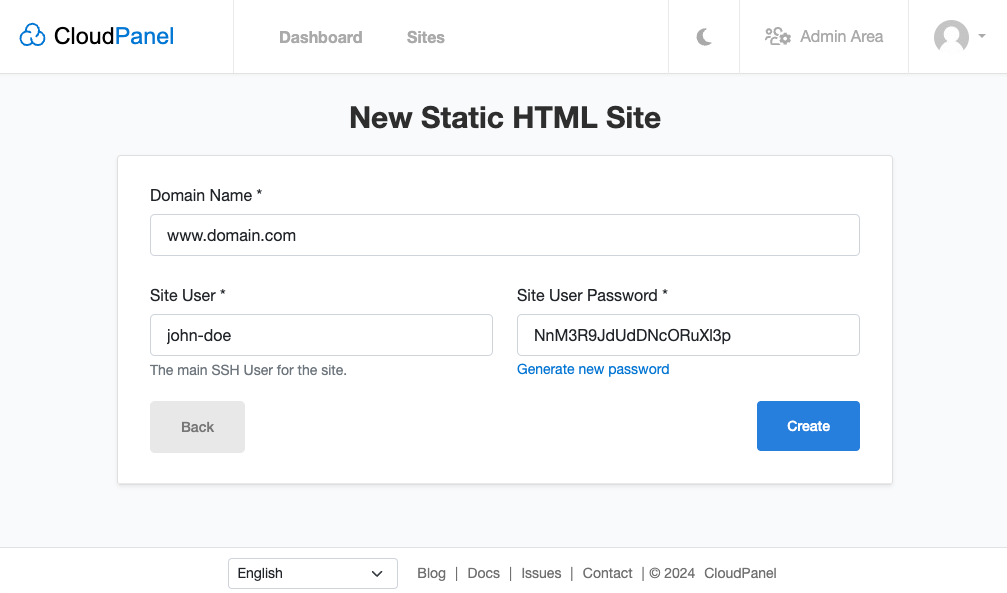
- You can now use the Site User to log in via SSH to upload the HTML files.
Create a Python Site
- Enter the Domain Name, select the Python Version and enter the App Port.
Redirection
When you enter the Domain Name with www, a redirection from non-www to www will be created automatically and vice versa.All HTTP requests are redirected to HTTPS by default.
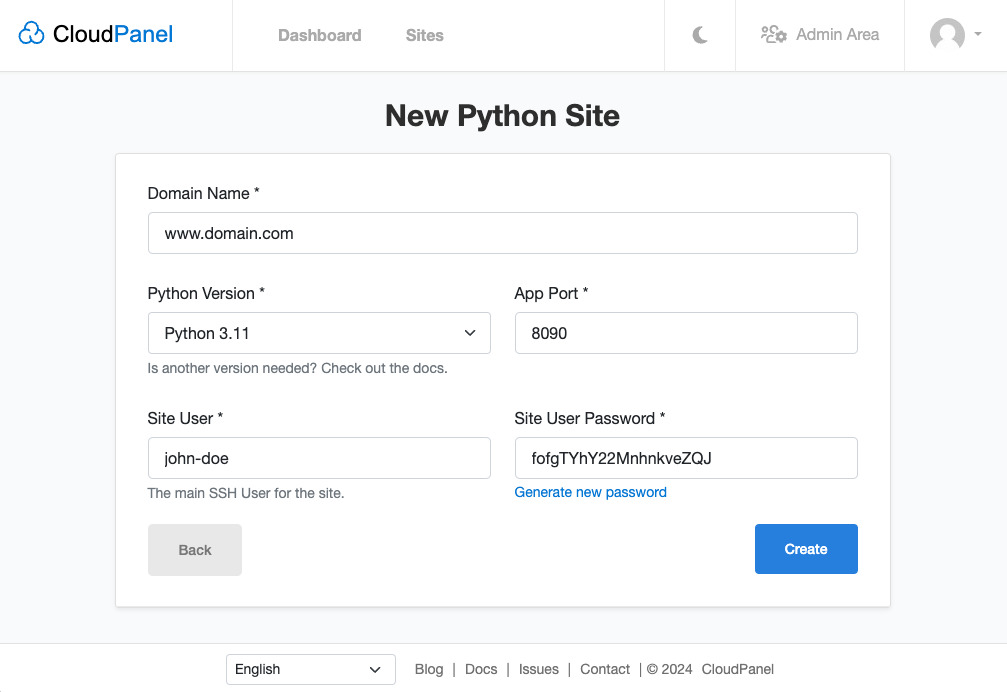
- You can now use the Site User to log in via SSH to upload the application files.
Create a Reverse Proxy
- Enter the Domain Name, Reverse Proxy Url, Site User, and Site User Password.
Redirection
When you enter the Domain Name with www, a redirection from non-www to www will be created automatically and vice versa.All HTTP requests are redirected to HTTPS by default.

Yazdığımız şeyler bizi temsil eder, Efendilik iyidir.